The Lausiac History AudioBook

The following zip archive is an an AudioBook of The Lausiac History. It is a collection of mp3 files. This archive came from LibriVox and is public domain so distribute as you wish.

The Lausiac History is a seminal work archiving the Desert Fathers written in 419–420 AD by Palladius of Galatia, at the request of Lausus, chamberlain at the court of the Byzantine Emperor Theodosius II. Palladius was contemporaneous with such people as Origen of Alexandria and Evagrius Ponticus.

Download Zip File

Ubuntu 23.10 KVM /etc/netplan/01-netcfg.yaml

network:
version: 2
renderer: NetworkManager
ethernets:
enx00e04d711639:
dhcp4: false
dhcp6: false
mtu: 9000
bridges:
br0:
interfaces: [enx00e04d711639]
addresses:
- 192.168.3.99/24
routes:
- to: default
via: 192.168.3.1
nameservers:
addresses:
- 192.168.3.1
dhcp4: false
dhcp6: true
parameters:
stp: true
forward-delay: 4

Save yourself a lot of headaches and install yamllint and use it on your configs. Once changes are verified run netplan apply . networkctl will show status.

Eclipse 08 April 2024 Dallas

The following are photos and videos of the solar eclipse as seen in Dallas, Texas on 08 April 2024. There will not be another total solar eclipse visible in North America again for 17 years. The strange conditions wreaked havoc on cameras hence the odd coloring.

As totality began roosters began to crow. When totality arrived it became very quiet and streetlight came on. When the sun was completely blocked it grew cold outside and a strong wind began to blow. Within 4 minutes of totality it was over.

Encrypted ZFS Install Ubuntu 23.10

Ubuntu 23.10 Mantic Minotaur Encrypted ZFS Walkthrough
/etc/apt/sources.list:
deb http://archive.ubuntu.com/ubuntu/ mantic main restricted universe multiverse
deb http://archive.ubuntu.com/ubuntu/ mantic-proposed main restricted universe multiverse
deb http://archive.ubuntu.com/ubuntu/ mantic-backports main restricted universe multiverse
deb http://security.ubuntu.com/ubuntu/ mantic main restricted universe multiverse
deb http://archive.ubuntu.com/ubuntu/ mantic-updates main restricted universe multiverse
apt update
rm /etc/apt/sources.list.d/extra-ppas.list
apt install zfsutils-linux debootstrap gdisk
source /etc/os-release
export ID=mantic
zgenhostid -f 0x00bab10c
ls -al /dev/disk/by-id
total 0
drwxr-xr-x 2 root root 280 Nov 23 02:01 .
drwxr-xr-x 9 root root 180 Nov 23 02:01 ..
lrwxrwxrwx 1 root root 9 Nov 23 02:01 ata-Dogfish_SSD_256GB_5E5AD76508051633422 -> ../../sda
lrwxrwxrwx 1 root root 10 Nov 23 02:01 ata-Dogfish_SSD_256GB_5E5AD76508051633422-part1 -> ../../sda1
lrwxrwxrwx 1 root root 10 Nov 23 02:01 ata-Dogfish_SSD_256GB_5E5AD76508051633422-part2 -> ../../sda2
lrwxrwxrwx 1 root root 10 Nov 23 02:01 ata-Dogfish_SSD_256GB_5E5AD76508051633422-part3 -> ../../sda3
lrwxrwxrwx 1 root root 10 Nov 23 02:01 ata-Dogfish_SSD_256GB_5E5AD76508051633422-part4 -> ../../sda4
lrwxrwxrwx 1 root root 13 Nov 23 02:01 mmc-Biwin_0x0000029a -> ../../mmcblk0
lrwxrwxrwx 1 root root 15 Nov 23 02:01 mmc-Biwin_0x0000029a-part1 -> ../../mmcblk0p1
lrwxrwxrwx 1 root root 15 Nov 23 02:01 mmc-Biwin_0x0000029a-part2 -> ../../mmcblk0p2
lrwxrwxrwx 1 root root 15 Nov 23 02:01 mmc-Biwin_0x0000029a-part3 -> ../../mmcblk0p3
lrwxrwxrwx 1 root root 15 Nov 23 02:01 mmc-Biwin_0x0000029a-part4 -> ../../mmcblk0p4
lrwxrwxrwx 1 root root 13 Nov 23 02:01 mmc-SR256_0x85b68838 -> ../../mmcblk1
lrwxrwxrwx 1 root root 15 Nov 23 02:01 mmc-SR256_0x85b68838-part1 -> ../../mmcblk1p1
DISK0=/dev/disk/by-id/mmc-Biwin_0x0000029a
DISK1=/dev/disk/by-id/ata-Dogfish_SSD_256GB_5E5AD76508051633422
wipefs -a -f $DISK0
wipefs $DISK1 if needed, in this case no
sgdisk -Z $DISK0
sgdisk -Z $DISK1 if needed, in this case no
Creating new GPT entries in memory.
GPT data structures destroyed! You may now partition the disk using fdisk or other utilities.
sgdisk -n1:1M:+550M -t1:ef00 -c1:homey-efi0 $DISK0
Creating new GPT entries in memory.
The operation has completed sucessfully
sgdisk -n1:1M:+550M -t1:ef00 -c1:homey-efi1 $DISK1 creates new partition numbered 1 at 1MB sized 550MB, partition type code ef00 EFI, change GPT partition name to homey-efi1
(sgdisk-L shows partition type codes)
sgdisk -n2::+6000M -t2:8200 -c2:linux-swap
sgdisk -n3:: -t3:bf00 -c3:rpool0 $DISK0
The operation completed sucessfully – type bf00 = solaris root -n2:: use all remaining space for partition 2
sgdisk -n2:: -t2:bf00 -c2:rpool1 $DISK1
The operation completed sucessfully
echo ‘super secret passphrase’ > /etc/zfs/rpool.key
chmod 000 /etc/zfs/rpool.key
zpool create -f \
-o ashift=12 \
-o autotrim=on \
-O acltype=posixacl \
-O xattr=sa \
-O relatime=on \
-O compression=zstd \
-O encryption=aes-256-gcm \
-O keylocation=file:///etc/zfs/rpool.key \
-O keyformat=passphrase \
-m none rpool mirror ${DISK0}-part3 ${DISK1}-part2
-m is mountpoint
zpool list
name size alloc free
rpool 54G 708K 54G
root@Homey:/home/luser/Desktop# fdisk -l /dev/mmcblk0
Disk /dev/mmcblk0: 57.66 GiB, 61907927040 bytes, 120913920 sectors
Units: sectors of 1 * 512 = 512 bytes
Sector size (logical/physical): 512 bytes / 512 bytes
I/O size (minimum/optimal): 512 bytes / 512 bytes
Disklabel type: gpt
Disk identifier: 346E032C-FDE3-4554-90F4-EDAC60B9A54C
Device Start End Sectors Size Type
/dev/mmcblk0p1 2048 2203647 2201600 512M EFI System
/dev/mmcblk0p2 2203648 6397951 4194304 6G Linux filesystem (encrypt?)
/dev/mmcblk0p3 14053376 120911871 106858496 48.7G Linux filesystem
root@Homey:/home/luser/Desktop# fdisk -l /dev/sda
Disk /dev/sda: 238.47 GiB, 256060514304 bytes, 500118192 sectors
Disk model: Dogfish SSD 256G
Units: sectors of 1 * 512 = 512 bytes
Sector size (logical/physical): 512 bytes / 512 bytes
I/O size (minimum/optimal): 512 bytes / 512 bytes
Disklabel type: gpt
Disk identifier: 937542CF-0135-4708-90A3-E7AFEA8D06F8
Device Start End Sectors Size Type
/dev/sda1 2048 1050623 1048576 512M EFI System
/
/dev/sda3 108376064 500117503 391741440 186.8G Linux filesystem
/dev/sda4 3147776 105342975 102195200 48.7G Linux filesystem
zfs create -o mountpoint=none rpool/ROOT
zfs create -o mountpoint=/ -o canmount=noauto rpool/ROOT/homey
zfs create -o mountpoint=none rpool/USERDATA
zfs create -o mountpoint=/root rpool/USERDATA/root
zfs create -o mountpoint=/home/luser rpool/USERDATA/luser
zfs create -o mountpoint=/home/luser2 rpool/USERDATA/luser2
zpool set bootfs=rpool/ROOT/homey rpool
zpool export rpool
zpool import -N -R /mnt rpool
zfs load-key -L prompt rpool
Enter passphrase for ‘rpool’:
zfs list
rpool none
rpool/ROOT none
rpool/ROOT/homey /mnt
rpool/USERDATA/root /mnt/root
rpool/USERDATA/luser /mnt/home/luser
rpool/USERDATA/luser2 /mnt/home/luser2
zfs mount -a
zfs mount
rpool/ROOT/homey /mnt
rpool/USERDATA/root /mnt/root
rpool/USERDATA/luser /mnt/home/luser
rpool/USERDATA/luser2 /mnt/home/luser2
udevadm trigger
debootstrap mantic /mnt
base system installed sucessfully
cp /etc/hostid /mnt/etc/hostid
cp /etc/resolv.conf /mnt/etc/
mkdir /mnt/etc/zfs
cp /etc/zfs/rpool.key /mnt/etc/zfs/
cp /etc/apt/sources.list /mnt/etc/apt/sources.list
cp /etc/apt/sources.list /mnt/etc/apt/sources.list.MANTICdev
vi /mnt/etc/hostname
Change to homey
add following /etc/host
127.0.1.1 homey
create /mnt/etc/apt/preferences.d/snapdfix
Package: snapd
Pin: release a=*
Pin-Priority: -10
create /mnt/etc/netplan/01-netcfg.yaml
network:
version: 2
ethernets:
enx00e04d711639:
dhcp6: true
dhcp4: true
mount -t proc proc /mnt/proc
mount -t sysfs sys /mnt/sys
mount -B /dev /mnt/dev
mount -t devpts pts /mnt/dev/pts
chroot /mnt /bin/bash
passwd
Set new root password
apt update && apt upgrade
apt install –no-install-recommends linux-generic locales keyboard-configuration console-setup
apt install fdutils linux-tools initramfs-tools dracut tiny-initramfs initramfs-tools firmware-sof-signed grub-pc grub-efi-amd64 grub-efi-ia32 grub lilo initramfs-tools linux-initramfs-tool thermald
dpkg-reconfigure locales tzdata keyboard-configuration console-setup
let system choose suitable font. size 8×16 , UTF-8 en.us
apt install dosfstools mtools zfs-initramfs zfsutils-linux zfs-dkms acpid cpufrequtils cpufreqd pciutils usbutils zsh mc openssh-server tmux molly-guard btop htop powertop radeontop nvtop s-tui stress-ng lm-sensors linux-libc-dev
apt install rsync git fakeroot build-essential libncurses-dev xz-utils libssl-dev bc flex libelf-dev bison
systemctl enable zfs.target
systemctl enable zfs-import-cache
systemctl enable zfs-mount
systemctl enable zfs-import.target
echo “UMASK=0077” > /etc/initramfs-tools/conf.d/umask.conf
update-initramfs -u -k all
update-initramfs -c -k all
zfs set org.zfsbootmenu:commandline=”quiet loglevel=4 amd_iommu=on” rpool/ROOT
zfs set org.zfsbootmenu:keysource=”rpool/ROOT/homey” rpool
mkfs.vfat -F32 /dev/mmcblk0p1
mkdir -p /boot/efi
echo “/dev/mmcblk0p1 /boot/efi vfat defaults 0 0” > /etc/fstab
mount /boot/efi
apt install curl
mkdir -p /boot/efi/EFI/ZBM
curl -o /boot/efi/EFI/ZBM/VMLINUZ.EFI -L https://get.zfsbootmenu.org/efi
cp /boot/efi/EFI/ZBM/VMLINUZ.EFI /boot/efi/EFI/ZBM/VMLINUZ-BACKUP.EFI
mount -t efivarfs efivarfs /sys/firmware/efi/efivars
apt install refind
refind-install
exit
umount -n -R /mnt
zpool export rpool
reboot

login as root. ping 8.8.8.8 to insure network up.
apt update && apt upgrade
username=luser
UUID=rpool
ROOT_DS=$(zfs list o name | awk ‘/ROOT\/ubuntu_/{print $1;exit}’)
adduser luser
adduser luser2
cp -a /etc/skel/. /home/luser
chown -R luser:luser /home/luser
cp -a /etc/skel/. /home/luser2
chown -R luser2:luser2 /home/luser2
usermod -aG adm,cdrom,sudo,dip,plugdev,users,lpadmin luser
usermod -aG adm,cdrom,sudo,dip,plugdev,users,lpadmin luser2
sudo zfs snap rpool/ROOT/homey@prototype0
apt install gnome-core sakura gnome-tweaks gnome-shell-extension-manager gparted yaru-theme-icon yaru-theme-sound yaru-theme-gtk yaru-theme-gnome-shell flatpak qemu-system-x86 qemu-utils vde2 virt-manager virt-top libvirt-daemon-driver-storage-zfs remmina-plugin-rdp krita gimp audacity obs-studio vlc kdenlive kleopatra vlc sshfs
apt install nvidia-driver-525 nvidia-dkms-525

Install Text 2

login as root. ping 8.8.8.8 to insure network up.
apt update && apt upgrade
username=luser
UUID=rpool
ROOT_DS=$(zfs list o name | awk ‘/ROOT\/ubuntu_/{print $1;exit}’)
adduser luser
adduser luser2
cp -a /etc/skel/. /home/luser
chown -R luser:luser /home/luser
cp -a /etc/skel/. /home/luser2
chown -R luser2:luser2 /home/luser2
usermod -aG adm,cdrom,sudo,dip,plugdev,users,lpadmin luser
usermod -aG adm,cdrom,sudo,dip,plugdev,users,lpadmin luser2
sudo zfs snap rpool/ROOT/homey@prototype0
apt install gnome-core sakura gnome-tweaks gnome-shell-extension-manager gparted yaru-theme-icon yaru-theme-sound yaru-theme-gtk yaru-theme-gnome-shell flatpak qemu-system-x86 qemu-utils vde2 virt-manager virt-top libvirt-daemon-driver-storage-zfs remmina-plugin-rdp krita gimp audacity obs-studio vlc kdenlive kleopatra vlc sshfs
apt install nvidia-driver-525 nvidia-dkms-525

Ubuntu 23.10 Mantic Minotaur Encrypted ZFS Walkthrough

/etc/apt/sources.list:
deb http://archive.ubuntu.com/ubuntu/ mantic main restricted universe multiverse
deb http://archive.ubuntu.com/ubuntu/ mantic-proposed main restricted universe multiverse
deb http://archive.ubuntu.com/ubuntu/ mantic-backports main restricted universe multiverse
deb http://security.ubuntu.com/ubuntu/ mantic main restricted universe multiverse
deb http://archive.ubuntu.com/ubuntu/ mantic-updates main restricted universe multiverse

apt update

rm /etc/apt/sources.list.d/extra-ppas.list

apt install zfsutils-linux debootstrap gdisk

source /etc/os-release
export ID=mantic
zgenhostid -f 0x00bab10c

ls -al /dev/disk/by-id
total 0
drwxr-xr-x 2 root root 280 Nov 23 02:01 .
drwxr-xr-x 9 root root 180 Nov 23 02:01 ..
lrwxrwxrwx 1 root root 9 Nov 23 02:01 ata-Dogfish_SSD_256GB_5E5AD76508051633422 -> ../../sda
lrwxrwxrwx 1 root root 10 Nov 23 02:01 ata-Dogfish_SSD_256GB_5E5AD76508051633422-part1 -> ../../sda1
lrwxrwxrwx 1 root root 10 Nov 23 02:01 ata-Dogfish_SSD_256GB_5E5AD76508051633422-part2 -> ../../sda2
lrwxrwxrwx 1 root root 10 Nov 23 02:01 ata-Dogfish_SSD_256GB_5E5AD76508051633422-part3 -> ../../sda3
lrwxrwxrwx 1 root root 10 Nov 23 02:01 ata-Dogfish_SSD_256GB_5E5AD76508051633422-part4 -> ../../sda4
lrwxrwxrwx 1 root root 13 Nov 23 02:01 mmc-Biwin_0x0000029a -> ../../mmcblk0
lrwxrwxrwx 1 root root 15 Nov 23 02:01 mmc-Biwin_0x0000029a-part1 -> ../../mmcblk0p1
lrwxrwxrwx 1 root root 15 Nov 23 02:01 mmc-Biwin_0x0000029a-part2 -> ../../mmcblk0p2
lrwxrwxrwx 1 root root 15 Nov 23 02:01 mmc-Biwin_0x0000029a-part3 -> ../../mmcblk0p3
lrwxrwxrwx 1 root root 15 Nov 23 02:01 mmc-Biwin_0x0000029a-part4 -> ../../mmcblk0p4
lrwxrwxrwx 1 root root 13 Nov 23 02:01 mmc-SR256_0x85b68838 -> ../../mmcblk1
lrwxrwxrwx 1 root root 15 Nov 23 02:01 mmc-SR256_0x85b68838-part1 -> ../../mmcblk1p1

DISK0=/dev/disk/by-id/mmc-Biwin_0x0000029a
DISK1=/dev/disk/by-id/ata-Dogfish_SSD_256GB_5E5AD76508051633422

wipefs -a -f $DISK0

wipefs $DISK1 if needed, in this case no

sgdisk -Z $DISK0

sgdisk -Z $DISK1 if needed, in this case no

Creating new GPT entries in memory.

GPT data structures destroyed! You may now partition the disk using fdisk or other utilities.

sgdisk -n1:1M:+550M -t1:ef00 -c1:homey-efi0 $DISK0

Creating new GPT entries in memory.

The operation has completed sucessfully

sgdisk -n1:1M:+550M -t1:ef00 -c1:homey-efi1 $DISK1 creates new partition numbered 1 at 1MB sized 550MB, partition type code ef00 EFI, change GPT partition name to homey-efi1

(sgdisk-L shows partition type codes)
sgdisk -n2::+6000M -t2:8200 -c2:linux-swap
sgdisk -n3:: -t3:bf00 -c3:rpool0 $DISK0

The operation completed sucessfully – type bf00 = solaris root -n2:: use all remaining space for partition 2

sgdisk -n2:: -t2:bf00 -c2:rpool1 $DISK1

The operation completed sucessfully

echo ‘super secret passphrase’ > /etc/zfs/rpool.key
chmod 000 /etc/zfs/rpool.key

zpool create -f \
-o ashift=12 \
-o autotrim=on \
-O acltype=posixacl \
-O xattr=sa \
-O relatime=on \
-O compression=zstd \
-O encryption=aes-256-gcm \
-O keylocation=file:///etc/zfs/rpool.key \
-O keyformat=passphrase \
-m none rpool mirror ${DISK0}-part3 ${DISK1}-part2

-m is mountpoint

zpool list

name size alloc free

rpool 54G 708K 54G

root@Homey:/home/luser/Desktop# fdisk -l /dev/mmcblk0
Disk /dev/mmcblk0: 57.66 GiB, 61907927040 bytes, 120913920 sectors
Units: sectors of 1 * 512 = 512 bytes
Sector size (logical/physical): 512 bytes / 512 bytes
I/O size (minimum/optimal): 512 bytes / 512 bytes
Disklabel type: gpt
Disk identifier: 346E032C-FDE3-4554-90F4-EDAC60B9A54C

Device Start End Sectors Size Type
/dev/mmcblk0p1 2048 2203647 2201600 512M EFI System
/dev/mmcblk0p2 2203648 6397951 4194304 6G Linux filesystem (encrypt?)
/dev/mmcblk0p3 14053376 120911871 106858496 48.7G Linux filesystem

root@Homey:/home/luser/Desktop# fdisk -l /dev/sda
Disk /dev/sda: 238.47 GiB, 256060514304 bytes, 500118192 sectors
Disk model: Dogfish SSD 256G
Units: sectors of 1 * 512 = 512 bytes
Sector size (logical/physical): 512 bytes / 512 bytes
I/O size (minimum/optimal): 512 bytes / 512 bytes
Disklabel type: gpt
Disk identifier: 937542CF-0135-4708-90A3-E7AFEA8D06F8

Device Start End Sectors Size Type
/dev/sda1 2048 1050623 1048576 512M EFI System
/
/dev/sda3 108376064 500117503 391741440 186.8G Linux filesystem
/dev/sda4 3147776 105342975 102195200 48.7G Linux filesystem

zfs create -o mountpoint=none rpool/ROOT
zfs create -o mountpoint=/ -o canmount=noauto rpool/ROOT/homey
zfs create -o mountpoint=none rpool/USERDATA
zfs create -o mountpoint=/root rpool/USERDATA/root
zfs create -o mountpoint=/home/luser rpool/USERDATA/luser
zfs create -o mountpoint=/home/luser2 rpool/USERDATA/luser2

zpool set bootfs=rpool/ROOT/homey rpool

zpool export rpool
zpool import -N -R /mnt rpool

zfs load-key -L prompt rpool

Enter passphrase for ‘rpool’:

zfs list

rpool none
rpool/ROOT none
rpool/ROOT/homey /mnt
rpool/USERDATA/root /mnt/root
rpool/USERDATA/luser /mnt/home/luser
rpool/USERDATA/luser2 /mnt/home/luser2

zfs mount -a

zfs mount

rpool/ROOT/homey /mnt

rpool/USERDATA/root /mnt/root

rpool/USERDATA/luser /mnt/home/luser

rpool/USERDATA/luser2 /mnt/home/luser2

udevadm trigger

debootstrap mantic /mnt

base system installed sucessfully

cp /etc/hostid /mnt/etc/hostid

cp /etc/resolv.conf /mnt/etc/

mkdir /mnt/etc/zfs

cp /etc/zfs/rpool.key /mnt/etc/zfs/
cp /etc/apt/sources.list /mnt/etc/apt/sources.list
cp /etc/apt/sources.list /mnt/etc/apt/sources.list.MANTICdev

vi /mnt/etc/hostname

Change to homey

add following /etc/host

127.0.1.1 homey

create /mnt/etc/apt/preferences.d/snapdfix

Package: snapd
Pin: release a=*
Pin-Priority: -10

create /mnt/etc/netplan/01-netcfg.yaml

network:
version: 2
ethernets:
enx00e04d711639:
dhcp6: true
dhcp4: true
mount -t proc proc /mnt/proc
mount -t sysfs sys /mnt/sys
mount -B /dev /mnt/dev
mount -t devpts pts /mnt/dev/pts

chroot /mnt /bin/bash

passwd

Set new root password

apt update && apt upgrade

apt install –no-install-recommends linux-generic locales keyboard-configuration console-setup

apt install fdutils linux-tools initramfs-tools dracut tiny-initramfs initramfs-tools firmware-sof-signed grub-pc grub-efi-amd64 grub-efi-ia32 grub lilo initramfs-tools linux-initramfs-tool thermald

dpkg-reconfigure locales tzdata keyboard-configuration console-setup

let system choose suitable font. size 8×16 , UTF-8 en.us

apt install dosfstools mtools zfs-initramfs zfsutils-linux zfs-dkms acpid cpufrequtils cpufreqd pciutils usbutils zsh mc openssh-server tmux molly-guard btop htop powertop radeontop nvtop s-tui stress-ng lm-sensors linux-libc-dev

apt install rsync git fakeroot build-essential libncurses-dev xz-utils libssl-dev bc flex libelf-dev bison

systemctl enable zfs.target
systemctl enable zfs-import-cache
systemctl enable zfs-mount
systemctl enable zfs-import.target

echo “UMASK=0077” > /etc/initramfs-tools/conf.d/umask.conf

update-initramfs -u -k all

update-initramfs -c -k all

zfs set org.zfsbootmenu:commandline=”quiet loglevel=4 amd_iommu=on” rpool/ROOT

zfs set org.zfsbootmenu:keysource=”rpool/ROOT/homey” rpool

mkfs.vfat -F32 /dev/mmcblk0p1

mkdir -p /boot/efi
echo “/dev/mmcblk0p1 /boot/efi vfat defaults 0 0” > /etc/fstab
mount /boot/efi

apt install curl

mkdir -p /boot/efi/EFI/ZBM

curl -o /boot/efi/EFI/ZBM/VMLINUZ.EFI -L https://get.zfsbootmenu.org/efi

cp /boot/efi/EFI/ZBM/VMLINUZ.EFI /boot/efi/EFI/ZBM/VMLINUZ-BACKUP.EFI

mount -t efivarfs efivarfs /sys/firmware/efi/efivars

apt install refind

refind-install

exit

umount -n -R /mnt

zpool export rpool

reboot


login as root. ping 8.8.8.8 to insure network up.

apt update && apt upgrade
username=luser
UUID=rpool
ROOT_DS=$(zfs list o name | awk ‘/ROOT\/ubuntu_/{print $1;exit}’)
adduser luser
adduser luser2
cp -a /etc/skel/. /home/luser
chown -R luser:luser /home/luser
cp -a /etc/skel/. /home/luser2
chown -R luser2:luser2 /home/luser2
usermod -aG adm,cdrom,sudo,dip,plugdev,users,lpadmin luser
usermod -aG adm,cdrom,sudo,dip,plugdev,users,lpadmin luser2
sudo zfs snap rpool/ROOT/homey@prototype0
apt install gnome-core sakura gnome-tweaks gnome-shell-extension-manager gparted yaru-theme-icon yaru-theme-sound yaru-theme-gtk yaru-theme-gnome-shell flatpak qemu-system-x86 qemu-utils vde2 virt-manager virt-top libvirt-daemon-driver-storage-zfs remmina-plugin-rdp krita gimp audacity obs-studio vlc kdenlive kleopatra vlc sshfs

apt install nvidia-driver-525 nvidia-dkms-525

Install the Chromium Deb package from Linux Mint Repository

First, create a file called mint.list as follows:

sudo vi /etc/apt/sources.list.d/mint.list

Add the following:

deb http://packages.linuxmint.com victoria upstream

download the latest Linux Mint Keys from:

http://packages.linuxmint.com/pool/main/l/linuxmint-keyring/?

Install the keyring deb file:

dpkg -i <FileName> or apt install <path to keyring deb file>

To stop Ubuntu from updating your system with Linux mint repositories, you need to define the priorities. Here, you only want to install and update the Chromium package from Linux Mint.

For this, create the preference file as follows:

vi /etc/apt/preferences.d/mint-victoria-pin

Insert following:

# Upgrade only Chromium from Linux Mint Victoria repository
Package: chromium
Pin: origin packages.linuxmint.com
Pin-Priority: 500

# Do not prefer other packages from the Linux Mint Victoria Repository
Package: *
Pin: origin packages.linuxmint.com
Pin-Priority: 1

Save this file and update your system.


sudo apt update

Now, you can install Chromium as a deb package from Linux Mint repositories.

sudo apt install chromium

Ubuntu Mantic nginx & php-fm config

You need to add this to /etc/nginx/sites-enabled/default to execute php files on Nginx Server:

root@homey:/etc/nginx/sites-enabled# cat /etc/nginx/sites-available/default


# Default server configuration
#
server {
	listen 80 default_server;
	listen [::]:80 default_server;

	# SSL configuration
	#
	# listen 443 ssl default_server;
	# listen [::]:443 ssl default_server;
	#
	# Note: You should disable gzip for SSL traffic.
	# See: https://bugs.debian.org/773332
	#
	# Read up on ssl_ciphers to ensure a secure configuration.
	# See: https://bugs.debian.org/765782
	#
	# Self signed certs generated by the ssl-cert package
	# Don't use them in a production server!
	#
	# include snippets/snakeoil.conf;

	root /var/www/html;

	# Add index.php to the list if you are using PHP
	index index.html index.php ;

	server_name _;

	location / {
		# First attempt to serve request as file, then
		# as directory, then fall back to displaying a 404.
		try_files $uri $uri/ /index.php?$query_string;
	}

	# pass PHP scripts to FastCGI server
	#
	location ~ \.php$ {
	#	include snippets/fastcgi-php.conf;
	#
		#	try_files $uri =404;
		fastcgi_split_path_info ^(.+\.php)(/.+)$;
		fastcgi_pass unix:/var/run/php/php8.2-fpm.sock;
		fastcgi_index index.php;
		fastcgi_param SCRIPT_FILENAME $document_root/$fastcgi_script_name;
		include fastcgi_params;
	}
}


Here is a good .htaccess file:

root@homey:/var/www/html# cat .htaccess
<IfModule mod_rewrite.c>

RewriteEngine On

## Begin RewriteBase
# If you are getting 500 or 404 errors on subpages, you may have to uncomment the RewriteBase entry
# You should change the '/' to your appropriate subfolder. For example if you have
# your Grav install at the root of your site '/' should work, else it might be something
# along the lines of: RewriteBase /<your_sub_folder>
##

RewriteBase /

## End - RewriteBase

## Begin - X-Forwarded-Proto
# In some hosted or load balanced environments, SSL negotiation happens upstream.
# In order for Grav to recognize the connection as secure, you need to uncomment
# the following lines.
#
RewriteCond %{HTTP:X-Forwarded-Proto} https
RewriteRule .* - [E=HTTPS:on]
RewriteCond %{SERVER_PORT} !=443
RewriteRule ^(.*)$ https://www.investbitnow.com/$1 [R=301,L]
#
## End - X-Forwarded-Proto

## Begin - Exploits
# If you experience problems on your site block out the operations listed below
# This attempts to block the most common type of exploit `attempts` to Grav
#
# Block out any script trying to use twig tags in URL.
RewriteCond %{REQUEST_URI} ({{|}}|{%|%}) [OR]
RewriteCond %{QUERY_STRING} ({{|}}|{%25|%25}) [OR]
# Block out any script trying to base64_encode data within the URL.
RewriteCond %{QUERY_STRING} base64_encode[^(]*\([^)]*\) [OR]
# Block out any script that includes a <script> tag in URL.
RewriteCond %{QUERY_STRING} (<|%3C)([^s]*s)+cript.*(>|%3E) [NC,OR]
# Block out any script trying to set a PHP GLOBALS variable via URL.
RewriteCond %{QUERY_STRING} GLOBALS(=|\[|\%[0-9A-Z]{0,2}) [OR]
# Block out any script trying to modify a _REQUEST variable via URL.
RewriteCond %{QUERY_STRING} _REQUEST(=|\[|\%[0-9A-Z]{0,2})
# Return 403 Forbidden header and show the content of the root homepage
RewriteRule .* index.php [F]
#
## End - Exploits

## Begin - Index
# If the requested path and file is not /index.php and the request
# has not already been internally rewritten to the index.php script
RewriteCond %{REQUEST_URI} !^/index\.php
# and the requested path and file doesn't directly match a physical file
RewriteCond %{REQUEST_FILENAME} !-f
# and the requested path and file doesn't directly match a physical folder
RewriteCond %{REQUEST_FILENAME} !-d
# internally rewrite the request to the index.php script
RewriteRule .* index.php [L]
## End - Index

## Begin - Security
# Block all direct access for these folders
RewriteRule ^(\.git|cache|bin|logs|backup|webserver-configs|tests)/(.*) error [F]
# Block access to specific file types for these system folders
RewriteRule ^(system|vendor)/(.*)\.(txt|xml|md|html|json|yaml|yml|php|pl|py|cgi|twig|sh|bat)$ error [F]
# Block access to specific file types for these user folders
RewriteRule ^(user)/(.*)\.(txt|md|json|yaml|yml|php|pl|py|cgi|twig|sh|bat)$ error [F]
# Block all direct access to .md files:
RewriteRule \.md$ error [F]
# Block all direct access to files and folders beginning with a dot
RewriteRule (^|/)\.(?!well-known) - [F]
# Block access to specific files in the root folder
RewriteRule ^(LICENSE\.txt|composer\.lock|composer\.json|\.htaccess)$ error [F]
## End - Security

</IfModule>

# Begin - Prevent Browsing and Set Default Resources
Options -Indexes
DirectoryIndex index.php index.html index.htm
# End - Prevent Browsing and Set Default Resources

Edit /etc/php/8.2/fpm/php.in and make sure cgi.fix_pathinfo is set to 0

Restart Nginx and php8.2-fpm

sudo service nginx restart && sudo service php8.2-fpm restart

Ἁγνὴ Παρθένε

Ἁγνὴ Παρθένε Δέσποινα, ἄχραντε Θεοτόκε,
Agní Parthéne Déspina, Áchrante Theotóke,
O pure and virgin Lady, O spotless Theotokos,
Oh Señorita pura y virgen, oh Theotokos inmaculada,

Χαῖρε νύμφη ἀνύμφευτε.
Chére Nýmphi Anýmphefte.
Rejoice, O unwedded Bride!

Regocijese novia no desposada!

Παρθένε μήτηρ ἄνασσα, πανένδροσέ τε πόκε.
Parthéne Mítir Ánassa, Panéndrosé te póke.
O Virgin Queen and Mother, O dewy fleece most sacred.
Oh Virgen Reina y Madre, oh vellocino de rocío sacratísimo.

Χαῖρε νύμφη ἀνύμφευτε.

Ὑψηλοτέρα οὐρανῶν ἀκτίνων λαμπροτέρα,
Ypsilotéra Uranón, aktínon lambrotéra,
O height transcending heaven above, O beam of light most radiant
Más alto que los cielos, más brillante que los rayos,

Χαῖρε νύμφη ἀνύμφευτε.

Χαρὰ παρθενικῶν χορῶν, ἀγγέλων ὑπερτέρα,
Chará parthenikón chorón, angélon ypertéra,
O joy of chaste and virgin maids, surpassing all the angels
Alegria de las vírgenes, sobrepasando todos ángeles,

Χαῖρε νύμφη ἀνύμφευτε.

Ἐκλαμπροτέρα οὐρανῶν, φωτὸς καθαρωτέρα,
Eklambrotéra uranón, photós katharotéra,,
O brilliant light of heaven above, most clear and most radiant
Abrillantadora del cielo, luz más clara ,

Χαῖρε νύμφη ἀνύμφευτε.

Μαρία ἀειπάρθενε κόσμου παντὸς Κυρία,
María Aipárthene kósmu pandós Kyría,
O ever-virgin Mary, O Mistress of creation
María siempre virgen, Señorita del mundo,

Χαῖρε νύμφη ἀνύμφευτε.

Ἄχραντε νύμφη πάναγνε, Δέσποινα Παναγία.
Áchrante Nýmphi Pánagne, Déspina Panagía,
O Bride all-pure and spotless, O Lady all-holy
O novia inmaculada, Señorita santisima

Χαῖρε νύμφη ἀνύμφευτε.

Μαρία νύμφη ἄνασσα, χαρᾶς ἡμῶν αἰτία,
María Nýmphi Ánassa, charás imón etía,
O holy Mary, Bride and Queen, cause of our rejoicing
María, reina y novia causa de nuestra alegría

Χαῖρε νύμφη ἀνύμφευτε.

Κόρη σεμνή, Βασίλισσα, Μήτηρ ὑπεραγία,
Korí semní Vasílissa, Mítir yperagía,
O Maiden Queen most hon’rable, O Mother most holy
Doncella modesta, Reina, Madre suprema,

Χαῖρε νύμφη ἀνύμφευτε.

Τιμιωτέρα Χερουβείμ, ὑπερενδοξοτέρα,
Timiotéra Cheruvím, yperendoxotéra,
More hon’rable than cherubim, more glorious…
Mas honrable que los querubines, mas gloriosa…

Χαῖρε νύμφη ἀνύμφευτε.

Τῶν ἀσωμάτων Σεραφείμ, τῶν θρόνων ὑπερτέρα,
Ton asomáton Seraphím, ton thrónon ypertéra.,
surpassing Seraphim, surpassing Thrones
sobrepasando Serafines, superior a Tronos,

Χαῖρε νύμφη ἀνύμφευτε.

Χαῖρε τὸ ᾆσμα Χερουβείμ, χαῖρε ὕμνος ἀγγέλων,
Chére to ásma Cheruvím, chére ýmnos angélon,
Rejoice, O song of the cherubim, Rejoice, O hymn of the angels
Regocijese estrella de los Querubines, Regocijese canto de los ángeles,

Χαῖρε νύμφη ἀνύμφευτε.

Χαῖρε ᾠδὴ τῶν Σεραφείμ, χαρὰ τῶν ἀρχαγγέλων,
Chére odí ton Seraphím, chará tón Archangélon,
Rejoice, ode of the Seraphim and joy of the Archangels
Regocijese oda de los Serafines, y alegría de los Arcángeles,

Χαῖρε νύμφη ἀνύμφευτε.

Χαῖρε εἰρήνη καὶ χαρά, λιμὴν τῆς σωτηρίας,
Chére iríni ke chará, limín tis sotirías,
Rejoice, O peace; Rejoice, O joy and haven of salvation
Regocijese paz y alegría, puerto de salvación,

Χαῖρε νύμφη ἀνύμφευτε.

Παστὰς τοῦ Λόγου ἱερά, ἄνθος τῆς ἀφθαρσίας,
Pastás tu Lógu ierá, ánthos tis aphtharsías,
Pasture of the Holy Word, flower of incorruption
Pasta de la santa Palabra, flor de incorrupción,

Χαῖρε νύμφη ἀνύμφευτε.

Χαῖρε παράδεισε τρυφῆς, ζωῆς τε αἰωνίας.
Chére Parádise triphís, zoís te eonías,
Rejoice, delight of paradise, life everlasting
Regocijese, deleite del Paraiso y vida eterna

Χαῖρε νύμφη ἀνύμφευτε.

Χαῖρε τὸ ξύλον τῆς ζωῆς, πηγὴ ἀθανασίας.
Chére to xýlon tis zoís, pigí athanasías.
Rejoice, O holy tree of life and fount of immortality
Regocijese, O santo árbol de vida y fuente de inmortalidad

Χαῖρε νύμφη ἀνύμφευτε.

Σὲ ἱκετεύω Δέσποινα, σὲ νῦν ἐπικαλοῦμαι.
Se iketévo Déspina, Se, nyn, epikalúme,
I supplicate thee, Lady, I humbly call upon thee
Te ruego, Señorita, te suplico humildemente.

Χαῖρε νύμφη ἀνύμφευτε.

Σὲ δυσωπῶ Παντάνασσα, σὴν χάριν ἐξαιτοῦμαι.
Se disopó Pantánassa, Syn chárin exetúme.
O Queen of all, I beg thee to grant me thy favor.
Reina de todo, te suplico concedeme tu gracia.

Χαῖρε νύμφη ἀνύμφευτε.

Κόρη σεμνὴ καὶ ἄσπιλε, Δέσποινα Παναγία.
Korí semní ke áspile, Déspina Panagía.
O spotless and most honored maid, O Lady all holy.
O inmaculada y honradísima doncella, O Señorita toda santa.

Χαῖρε νύμφη ἀνύμφευτε.

Επάκουσόν μου, άχραντε, κόσμου παντός Κυρία,
Epákusón mu, áchrante, kósmu pandós Kyría.
Hear me, immaculate one, lady of the whole world.
Escúchame, O mi querida e inmisericorde, Señorita del mundo.

Χαῖρε νύμφη ἀνύμφευτε.

Ἀντιλαβοῦ μου, ρῦσαί με ἀπὸ τοῦ πολεμίου,
Antilavú mu, ríse me apó tu polemíu.
O thou my help, deliver me from harm and all adversity.
Entiendeme y guardame de todo adversidad.

Χαῖρε νύμφη ἀνύμφευτε.

Καὶ κληρονόμον δεῖξόν με ζωῆς τῆς αἰωνίου.,
Ke klironómon díxon me zoís tis eoníu.
And show me to be an heir of immortality.
Y enseñame a ser un heredor de inmortalidad.

Χαῖρε νύμφη ἀνύμφευτε.

HOMILÍA sobre la Venganza y el Vengador

(June 19, Prólogo desde Ohrid)

¡No digas, te pagaré mal! Confía en el Señor y Él te ayudará.

Proverbs 20:22

No seas vengativo; no devolváis mal por mal. El mal de tu prójimo es suficiente. Si le devuelves mal por mal, duplicarás el mal en el mundo. Si no le devuelves mal por mal, todavía puede quemar su mal mediante el arrepentimiento. Así, a través de la paciencia y el perdón, reduciréis el mal en el mundo.

No seas vengativo; no devolváis mal por mal, sino esperad en el Señor. Él ve y recuerda, ya su debido tiempo tanto tú como el que te hace el mal sabrán que Dios ve y recuerda. Te preguntas:

¿Qué he hecho yo al no devolver mal por mal?

Has hecho la acción más sabia que podías hacer en la situación dada, es decir, has cedido tu lucha al Uno más fuerte que tú, y el Más fuerte luchará victoriosamente por ti. Si entras en batalla con el malhechor, puedes ser derrotado. Pero Dios no puede ser derrotado. Por lo tanto, entrega tu lucha al victorioso e invicto y espera pacientemente.

Aprende de un niño pequeño. Si alguien ataca a un niño en presencia de sus padres, el niño no devuelve el ataque atacando, sino que mira a sus padres y llora. El niño sabe que sus padres lo protegerán. ¿Cómo es que no sabes lo que sabe un niño pequeño? Tu Padre celestial está constantemente a tu lado. Por lo tanto, no seas vengativo; no devolváis mal por mal; más bien mira a tu Padre y llora. Sólo así te garantizarás la victoria en el conflicto con los hombres malvados.

Oh Señor Todopoderoso, que dijiste: Mía es la venganza (Romanos 12:19, Hebreos 10:30), protégenos de los injustos con tu mano todopoderosa y refrenanos de la venganza. Aconséjanos por Tu Espíritu Santo que el mayor heroísmo es soportar en lugar de vengar.

A Ti sea la gloria y la alabanza por siempre. Amén.

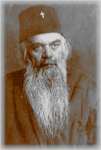
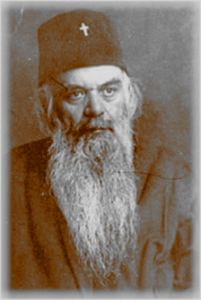
San Nicolás Velimirović de Žiča

HOMILY on Revenge and the Avenger

(June 19, Prologue from Ohrid)

Say not, I will repay evil! Trust in the Lord and He will help you

Proverbs 20:22

Do not be vengeful; do not return evil for evil. The evil from your neighbor is sufficient. If you return evil for evil to him, you will double the evil in the world. If you do not return evil for evil to him, he can still burn away his evil through repentance. Thus, through patience and forgiveness, you will reduce the evil in the world.

Do not be vengeful; do not return evil for evil, but wait on the Lord. He sees and remembers, and in your own time both you and he who does you evil will know that God sees and remembers. You ask yourself:

What have I done in not returning evil for evil?

You have done the wisest deed that you could do in the given situation, i.e., you have relinquished your struggle to the One stronger than yourself, and the stronger One will fight victoriously for you. If you enter into battle with the evildoer, you might be defeated. But God cannot be defeated. Therefore, relinquish your struggle to the victorious and undefeated One and patiently wait.

Learn from a small child. If someone attacks a child in the presence of his parents, the child does not return the attack by attacking, but rather looks to his parents and cries. The child knows that his parents will protect him. How is it that you do not know what a little child knows? Your heavenly Parent is constantly beside you. Thus, do not be vengeful; do not return evil for evil; rather look to your Parent and cry. Only in this way will you guarantee victory for yourself in the conflict with evil men.

O Almighty Lord, Who didst say: Vengeance is Mine (Romans 12:19, Hebrews 10:30), protect us from the unrighteous ones by Thine almighty hand, and restrain us from vengeance. Counsel us by Thy Holy Spirit that the greater heroism is to endure rather than to avenge.

To Thee be glory and praise forever. Amen.

Saint Nikolaj Velimirović of Žiča

Prayer For My Enemies

Bless my enemies, 0 Lord. Even I bless them and do not curse them.

Enemies have driven me into Your embrace more than friends have. Friends have bound me to earth, enemies have loosed me from earth and have demolished all my aspirations in the world.

Enemies have made me a stranger in worldly realms and an extraneous inhabitant of the world. Just as a hunted animal finds safer shelter than an un-hunted animal, so have I, persecuted by enemies, found the safest sanctuary, having ensconced myself beneath Your tabernacle, where neither friends nor enemies can slay my soul. Bless my enemies, 0 Lord. Even I bless them and do not curse them.

They, rather than I, have confessed my sins before the world.

They have flagellated me, whenever I have hesitated to flagellate myself.

They have tormented me, whenever I have tried to flee

They have scolded me, whenever I have flattered myself. They have spat upon me, whenever I have filled myself with arrogance.

Bless my enemies, 0 Lord. Even I bless them and do not curse them.

Whenever I have made myself wise, they have called me foolish.

Whenever I have made myself mighty, they have mocked me as though I were a dwarf.

Whenever I have wanted to lead people, they have shoved me into the background.

Whenever I have rushed to enrich myself, they have prevented me with an iron hand.

Whenever I thought that I would sleep peacefully, they have wakened me from sleep.

Whenever I have tried to build a home for a long and tranquil life, they have demolished it and driven me out.

Truly, enemies have cut me loose from the world and have stretched out my hands to the hem of Your garment.

Bless my enemies, 0 Lord. Even I bless them and do not curse them.

Bless them and multiply them; multiply them and make

them even more bitterly against me —

so that my fleeing to You may have no return;

so that all hope in men may be scattered like cobwebs; so that absolute serenity may begin to reign in my soul;

so that my heart may become the grave of my two evils twins: arrogance and anger;

so that I might amass all my treasure in heaven

ah, so that I may for once be freed from self-deception, which has entangled me in the dreadful web of illusory life.

Enemies have taught me to know — what hardly anyone knows — that a person has no enemies in the world except himself.

One hates his enemies only when he fails to realize that they are not enemies, but cruel friends.

It is truly difficult for me to say who has done me more good and who has done me more evil in the world: friends or enemies.

Therefore bless, 0 Lord, both my friends and my enemies.

A slave curses enemies, for he does not understand. But son blesses them, for he understands.

For a son knows that his enemies cannot touch his life Therefore he freely steps among them and prays to God for them.

Bless my enemies, 0 Lord. Even I bless them and do not curse them.

– St. Nikolaj Velimirović of Žiča
who labored in North America